


Getting Started with Social Media – A Guide and Resource List
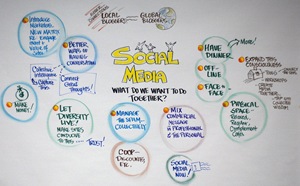 If you’re new to social media or haven’t approached it “strategically” thus far, then this guide is for you. Read on for a bird’s eye view with specific concrete steps.
Last updated: January 7, 2009
Note: I’m no PR or communications consultant. I’m just interested in seeing people get real value from their technology. This is a living document, and I welcome your suggestions for improvement.
Step 1. Listen To What People Are Already Saying
The biggest mistake of individuals who start blogs or businesses looking for customers/publicity online is diving right in. Blathering without listening will make you stand out like an irritating tourist with no clue about local customs.
Instead of diving right in, you’ll first want to know:
- Who are the leaders in your interest area?
- What are people already talking about in your interest area?
- Where do people in your interest area congregate online?
- And…what are people already saying about you?
FINDING THE LEADERS
 To find out who’s talking and recognize some of the leaders, you’ll want to search for your interest area on sites like AllTop and Technorati.
- AllTop is a good starting place as it organizes popular blogs into topic areas. (You can find Technotheory in the Lifehacks topic area, for instance). Other examples of topics include marketing, being green, and entrepreneurship. Just visit the site and look for interesting headings in your topic areas. In the next section you’ll learn how to subscribe to these sites.
- Technorati offers both a topics directory and keyword search (tick the “Blogs about” option) for finding blogs in a particular topic area. While it’s not perfect, Technorati provides an “Authority Rating” on each blog to clue you as to how popular and discussed the website is. This gives you a rough idea of the blog’s influence
- While getting to know these sites, pay close attention to who they’re referencing. Search Google for a blog’s author to see where they’re participating. Pretty soon you’ll get a good idea of your interest area’s thought leaders
LISTENING TO WHAT THEY’RE SAYING WITH RSS
Based on the results of the search above, you should choose a few blogs to start reading regularly. 10-15 sites is a good start. You’ll very quickly start adding and removing sites from your “list.” But rather than get overwhelmed with all these new sites to visit, you need to start using RSS.
What is RSS? Here’s a short video by Common Craft that does a great job explaining:
As you can see, RSS allows website updates to come to you—allowing you to get your information in just one place. Tracking more than a few blogs without RSS is like walking along the highway—you will get to your destination, but you’ll notice that everyone else is getting there faster (and probably laughing at your feeble approach). The tools I’d recommend for RSS include (pick only one!):
- Google Reader (if you’re a Gmail user, it’s an easy transition)
- Outlook 2007 (if you’re already on Outlook 2007, it’s an easy transition)
- Bloglines (another popular web-based RSS reader)
With RSS, you’ll stay updated whenever the blogs have new content. After a month of reading through these “feeds” (what one calls a subscription to a website delivered by RSS) you’ll not only be more familiar with what people are saying, but you’ll likely learn a lot more about your interest area.
Note: people often get involved with social media for a specific sales or PR oriented objective…but they quickly realize that there’s a heck of a lot to learn about the subject area they’re involved with. Even if you don’t say a single word online, you’ll get immense value from the information presented by just following the steps mentioned so far.
Where Do People Congregate Online?
From mainstream social networks to niche social networks to discussion forums…there are a lot of places to talk online. You’ll find that some of the websites you’re evaluating have their own vibrant communities in the comment sections, but often the conversations head to Facebook, Ning, CollectiveX, LinkedIn Answers, Twitter, Google Groups, Yahoo Groups, forums, mailing lists, or other places.
(Alternately, you might check out the social news and link aggregation sites like Digg, Mixx, StumbleUpon, delicious, and others. Learn more about Digg or StumbleUpon here.)
On the blogs you’re reading, check out the author(s)’ About page and see what networks they’re involved with. If it’s not obvious then feel free to ask them, “are there any forums or social networks where people interested in X tend to collaborate or hang out?”
Take notes, since you’ll want to get involved with these networks in a little bit…
MONITOR what people are already saying about you (or your business)
 If you’re not already monitoring the conversation about you and/or your business online then you’re missing out at both defending your reputation and wooing others who might be interested in your services (or at least potential people who think alike). I’d cover this in more depth, but I wrote a fairly thorough guide to monitoring your own presence already. If you’re trying to put into practice the steps in this article, go to that link now, it’ll give you the exact steps.
Now that you know who the leaders are, what folks are talking about, where they’re doing it, and what they’re saying about you…it’s time to participate (and decide if the social side of social media is for you!).
Step 2. Participate In The Conversation
Now that you’re beginning to see what’s out there, it’s time to add your $.02 to it all. I wouldn’t recommend creating a blog just yet (that’s a huge investment and you won’t achieve big dividends without the connections), but instead start talking where people are already hanging out.
With notes in hand from Step 1, you should…
- Comment regularly on the blogs you most enjoy (or where you would like to build a better relationship with the author/audience). As an fyi, a “great job!” comment is nice, but it won’t bring any attention to you. If you want to build relationships, leave more thorough comments that don’t just agree/disagree but add value to the conversation. Even if others are leaving 6 word comments, you want to stand out. And always use the URL/home page field to connect people with something that allows people to learn more about you (if not your blog or company page, then maybe your Twitter or FriendFeed pages, or worst case, your LinkedIn profile)
- Answer questions in the networks that you discovered above. Whether it be a Facebook group or on Twitter, a discussion forum or a mailing list, be helpful to others and that will build your presence
- Develop a following on the various social networks. While social media is more than just a popularity contest, it’s important to have a respectable following so that when people view your LinkedIn, Facebook, Twitter profiles (or wherever you decide to join) that people see others are interested. This is often referred to as social proof. Additionally, when you begin sharing on these sites, if no one is connected to you then few will be reading. Generally, the more followers, the more amplification for your message More on this topic at Dosh Dosh…
- Respond when you’re mentioned on any online medium. Earlier I mentioned how to monitor the web for mentions of you or your company (this link). Whenever possible, jump in on that conversation to either express your gratitude or respond candidly
Think of this period as your chance to really find your online voice and build relationships. When you later create your own material, you’ll have something unique to share and people to listen. Trust me: the hours you spend perfecting a post will be much more worthwhile when you’ve got people who are interested and paying attention.
Step 3. Create, Share, And Build Your Presence
I’m dead serious when I say that you shouldn’t skip the steps above. A lot of people will realize that whatever it was they originally hoped to share has already been discussed ad nauseam by others. That’s okay!
There are so many ways to contribute online, and creating a blog isn’t for everyone. Whatever you decide to do will take a huge time commitment, especially early on, and thus it’s better to think through if/how you want to begin creating your own content.
Some ways to share and build presence without blogging
You don’t need to blog to make an impact. Here are some ideas for further participation and relationship-building sans blogging.
- Being a regular commenter. You can absolutely build relationships with influential bloggers and audiences by merely responding to others’ posts
- Using audio or video. Some people are more comfortable using audio or video to spread their message. While multimedia is consumed in a different way than text (obviously), it’s a dynamic medium for spreading your message and will help to separate you from the crowd. Before posting these clips on your own site, try some of the popular video social networks like YouTube, Seesmic, Vimeo, and Viddler. Need a cheap but high quality webcam? I recommend this Logitech one for your desktop/laptop or the Flip for a portable dead simple HD video recorder
- Sticking to a network or community. While social networks and communities may come and go, some people get exponentially more value from them by focusing their energy in that one place. There are a couple people who are the most responsive and helpful in a design mailing list I belong to. I have friends on Facebook and LinkedIn who regularly post notes and answer questions. There are people with outrageously large followings on Twitter that they’ve grown just by participating. I know these people have gotten much more value from these communities than most others. It’s much easier to make an impact on an existing community than to start your own
If you’re going to blog, some good places to start
Ok, so you want to blog. Me, too. There are a lot of ways to move forward, but I’m going to tell you what’s worked for me and many many others.
- Decide how geeky you want to be. I recommend building a WordPress site on your own web host, in the long run. Installing WordPress and having total control over it will prove immensely valuable. If you are blogging just for yourself, cash is limited, or you just want to get started right away, try wordpress.com, which will host your blog for you and provide more hand-holding while you’re getting set up. You can always export your site later to your own server. The one thing to ensure is that you get your own domain (see next point). As an fyi, this site is hosted on MediaTemple, and you can install WordPress in thirty seconds through their control panel.
- Regardless of the technical details, choose your URL wisely. If you’re blogging for your company, consider options like blog.yourcompany.com or youcompany.com/blog. If you’re blogging for yourself, get your own domain (I use MyDomain for registrations, GoDaddy is obviously popular, or your web host may just do it for you—wordpress.com will, for instance). Whatever you do, don’t use the default URL, which likely includes blogspot, wordpress or something else similar. For less than $10 a year, you can afford to have a memorable and professional URL that doesn’t advertise for someone else’s website
- Put some thought into your theme. Choose a theme other than the default provided by your blogging software. And, if possible, enlist someone with expertise in this area since your theme plays a big role in your first impression.
Write: Let it all out.
 By now you should have some great ideas about what to write about. If you need some specific tactics, try these from around the web:
- Skellie of skelliewag: The Top 20 Ways to Come Up With Amazing Ideas
- Geoff Livingston of Now Is Gone: Social Media Content Creation Process
- Darren Rowse of Problogger: Discover Hundreds of Post Ideas for Your Blog with Mind Mapping
Once you’ve started writing, now what?
I’m not going to get into the topic of Search Engine Optimization, marketing your site through your existing networks, or developing a blogging schedule, but I will say this: decide how you will measure the success of your blogging and participation.
While its tempting and very easy to simply rely on a blog’s page views or the number of connections on a social network, they’re a small part of the story. True success relates to things like:
- How engaging is your site? Are there lots of comments? How often do people subscribe? How long do people stay on your site? How many articles do they read once they get there?)
- Did your users “convert”? What do you want from your users: do you want them to subscribe? To buy something? To download an ebook? To click an affiliate link? To navigate to your company’s website? To hire you to speak?
- Who are you trying to reach? Are there specific people you’d like as commenters, friends, references, partners, or clients?
- Are there certain technical metrics you need? If advertising or influence is your goal, there are certain numbers to watch. Is it page views? Unique visitors? Subscribers? Growth percentage? Technorati authority? Mentions in major publications?
If you don’t have some objective goals that you monitor regularly it will be hard to judge your success. You may just being doing this for fun, but it’s still important to note these things as they may be useful for other things later.
The queen of metrics is KD Paine—if you’re looking for some information, try her site.
Step 4. Stay At It And Meet People In The Real World
Following these steps may or may not get the results you’d like. But one thing for sure is that it won’t happen in a week, a month, or even several. Plan on a serious investment of 3-6 months before you can start looking for results. If you don’t love this, then yes, it will feel an awful lot like work.
 While you’re at it, I’d highly recommend getting out to the real world and meeting the people that you’re dialoguing with. Going to conferences, Tweetups (Twitter people getting together), events, workshops and the like will accelerate growing relationships and your impact. And it’s a heck of a lot of fun—it makes the whole thing seem more real (reminding you that these avatars and monikers really have 3-dimensional shapes and personalities behind them).
Resources to Further Explore
If this isn’t enough here are some other guides that should send you in the right direction:
- 5 Starter Moves (Chris Brogan, ChrisBrogan.com)
- 100 Personal Branding Tactics Using Social Media (Chris Brogan, ChrisBrogan.com)
- The 10-Minute Daily Guide to Building Your Social Media Profile (Ben Yoskovitz, Instigator Blog)
- The Essential Guide to Social Media – A Free eBook (Brian Solis, PR 2.0)
- Tweeting for Companies 101 (Tara Hunt, HorsePigCow)
- A Beginner’s Guide to Social News Sites (Maki, Dosh Dosh)
- 100+ Smart Ways to Use LinkedIn (Linked Intelligence)
And for some consistently good advice, I always read Skelliewag, Dosh Dosh, Chris Brogan, Livingston Buzz, Ittybiz, Copyblogger, Remarkable Communication, Remarkablogger, and of course Problogger for tips about this stuff.
While I Have Your Attention…
If you want to know of major updates to this and learn other tactical advice about social media and technology productivity, I’d love if you’d subscribe to my site by RSS or email (it’s free!).
I want to help demystify social media so people can get real value from it. Please feel free to pass this on to friends and colleagues!
This is a Living Document
I’d love your advice for additions, resources, and changes. I will improve and reference this at various times…so please offer any suggestions you might have.











Great Guide Jared! I can’t wait to see how much this evolves over time. Excellent start, and keep up the great work.
Jared,
this is a great and valuable starting point and huge time saver for anyone looking to get started in Social Media. Thank you for this. *bookmarked*
Ed Stafford – @pixel8r
Great introduction to Social Media that will make it easier for me to explain it to the social media illiterates in my circle – I just sent them all the link!
Thanks for this contribution to knowledge.
Great post! I’m floating somewhere between step 2 and 3 and this post has really pushed me to get more “social!” Passing this along to all my friends :)
I love the depth of this! What a great resource. I’m bookmarking and will come back when I have a few more brain cells. (And thanks for the linky goodness . . . )
This is a nice post. One small thing one could maybe add. If you blog for a Fortune 500 company things might be a bit different:
http://commetrics.com/?p=129
than if you blog for your pleasure, small consulting firm or online retailer.
Incidentally, when you began using Social Media comes the time you want to start measuring progress – here the challenge will be what kind of metrics are most useful:
http://commetrics.com/?p=43
Thanks for the nice resource list.
You continue to inspire! Great posting!
This makes a great read!
Jared, I wanted to let you know that (months after you put this up) I still use this as a reference for folks I speak to about Social Media and getting started. Today – Edward Lowe Foundation. Again, thank you for putting all of this great info in one place. Much appreciated!
Hi Jared,
Thanks for the article. Very useful, concise, and clear. I’ll be back to read some more.
Liviu
For someone who’s new to social media, like I am, this post is a great resource, cheers.
Subscribed to RSS for more, thanks again.
Great guide. I agree completely with step #3 – Creating & building your presence. Jumping in and doing even if you don’t fully understand is the best way to gauge how effective a social media technique will be.
I am working towards testing out the effectiveness of social media marketing in my industry. The jury is still out to the effectiveness of using sites like twitter and facebook for a legal professional. Thanks for the guide, I am going to test out several of your tips.
This is a great article
I am a business owner who is not sure how online social media can help my marketing benefits or its relevance for that matter.
I want to do something my competition is not doing and want to create a strong and visible presence in my market.
Thanks a lot!
Excellent guide
I am aware of some of these social media sites but have to admit I was not sure how say Technorati would be relevant to my marketing efforts.
have printed out this article and will use it as my guide.
Thanks for the effort of putting this together
5 stars!
It’s great to see all of this information in one location. I completely agree with the notion that business people should monitor what the community is saying about them and their company on social media sites. By doing so it provides one with the opportunity to join the conversation, offer a new perspective, and possibly change how someone thinks about something. That is truly powerful communication.
Wow, for a small business owner like me, this is eye opening and very useful. I think the future of any business has to be involved in online somehow, even if you are an offline business like mine. I have been trying to see how all this social media can work for me but your guide is the clearest so far. Thanks!
Great guide this is going to help us develop a new social media strategy thank you.
I saw Brian Solis speak at a conference last year and he was awesome. We’re trying to lay out a social media strategy for our company and I’ve been doing a lot of research – very helpful info.
We’ve been using social media to expand our reach, and this article has helped a lot!
Thanks for sharing.
I did helped me a lot.
Thanks once again.
I’m still trying to get used to using social media for my clients. You offered some great tips. Keep it up!
Excellent post. We are fixing to get started here. We have very little in the way of Social Media.
We have just started getting into the social side of marketing our website. This is an excellent post. Once you find the balance of managing your social network, it requires little work to maintain. Great post. thanks…
Dr. Ed….